Enjoy Car Parking Multiplayer iOS: Ultimate Tips and Tricks
CPM is not just another mobile racing game; it’s a comprehensive driving, parking, and multiplayer experience that many of us engage with every day. In this guide, we’ll focus on Car Parking Multiplayer iOS and how it really feels on iPhone and iPad: performance, controls, features, and what you should expect as a new or returning player.
You can easily learn how to download it safely from the App Store, avoid risky “MOD” traps, and use simple pro tips to park smartly, earn money faster, and enjoy multiplayer with your friends.
Download the Official Version from the App Store
Overview of Car Parking Multiplayer iOS
Car Parking Multiplayer on iOS brings the open-world parking and driving experience to iPhone and iPad. You still get free roam cities, realistic physics, manual/automatic gear options, and online multiplayer rooms from the App Store version.
On iOS, the game is optimized for touch controls and smooth performance, allowing you to earn money, customize cars, and enjoy roleplay servers. The iOS version keeps the same core gameplay loop:
- Learn tight parking spots
- Upgrade and personalize your cars
- Join multiplayer lobbies
Why CPM is Popular Among iPhone and iPad Users
On iPhone and iPad, Car Parking Multiplayer hits that sweet spot between a realistic driving simulater and casual online fun. Players love it because:
You can jump into open-world free roam anytime and cruise, drift, or explore.The parking missions feel like real-life practice steering, angles, mirrors, and patience matter.
There’s a multiplayer and roleplay community where you can chat, trade, race, or hang out in custom rooms.The game runs well on most modern iPhones and iPads, so you get smooth graphics and responsive controls.
For iOS users who want more than basic arcade racing, Car Parking Multiplayer offers a smooth driving and parking experience.
Main Differences Between Car Parking Multiplayer iOS and Android
The core game is the same, but playing Car Parking Multiplayer iOS vs Android feels different:
Performance & Optimization:
On newer iPhones and iPads, the game feels smoother and more stable, especially in busy multiplayer areas.
Controls & Sensitivity:
iOS touch response is very tight, so steering, throttle and brake control can feel more precise once you tweak sensitivity settings.
MODs and Files:
Android players talk a lot about MOD APKs, while iOS uses IPA and sideload methods. Because of Apple’s system, unofficial mods are harder, riskier and less stable on iOS, so most players stick to the official App Store build.
Device Variety:
On Android, performance changes between phones. On iOS, most players are on a smaller range of devices, so the experience is more consistent.
If you want smooth gameplay and stability, iOS is a great place to play Car Parking Multiplayer, while Android wins in flexibility and modding.
Car Parking Multiplayer iOS App Details and Latest Version Info
On iPhone and iPad, CPM is available as a free download from the App Store, published by olzhass in the simulation/parking game category. The iOS build includes the open-world map, multiplayer, car tuning, character customization, and mission system like the Android version.
You install it from the App Store, and all future updates (new cars, bug fixes, physics tweaks, map changes) are pushed directly through iOS updates. No manual file handling, no APK, just tap Update when a new version drops.
Current Version, File Size, and Basic Game Information
On iOS, Car Parking Multiplayer is light enough for most modern devices but still big enough to pack in a large map and detailed cars. Full details you’ll see on the App Store include:
- Game name: Car Parking Multiplayer
- Developer: olzhass
- Platform: iOS (iPhone & iPad)
- Type: Free-to-play parking & driving simulator with in-app purchases
Approx file size: 1.04GB of space once downloaded + updates and cache (keep extra storage free so the game can save data and load maps smoothly)
Category: Games → Simulation / Racing / Driving
Monetization: Free download + optional purchases like in-game money, cars, or packs
Make sure you have good Wi-Fi for the first download and at least several GB free so the game doesn’t lag or crash when loading multiplayer areas.
Ratings, Reviews, and Player Feedback on the App Store
On the App Store, Car Parking Multiplayer holds a strong rating with thousands of reviews, and players keep coming back. Common feedback from iOS users.
- Positive points players mention
- Realistic parking and driving physics that punish bad angles and speed.
- Big open-world map with traffic, pedestrians, and multiplayer activity
- Multiplayer rooms, roleplay, and trading keep the game alive even after finishing missions.
- Plenty of cars to unlock and customize, from daily drivers to supercars
- Common complaints from iOS users.
- Occasional lag or frame drops in crowded servers on older devices.
- Some players feel that in-app purchases are a bit aggressive when they want faster progress
- Reports of bugs after big updates until patches come out
The App Store rating shows that most iPhone and iPad players are happy with the game, especially for a free title. If you’re into realistic parking, cruising with friends, and car tuning on mobile, the iOS version of Cpm is worth a download.
Key Features of Car Parking Multiplayer for iPhone and iPad
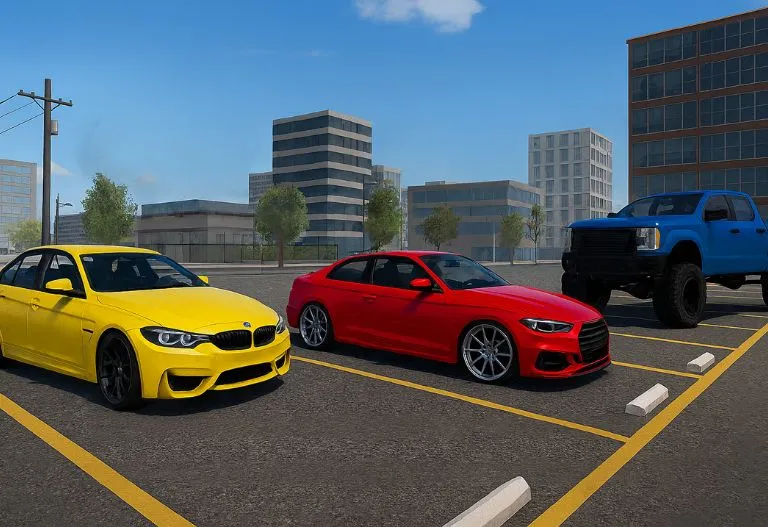
Car Parking Multiplayer iOS isn’t a basic parking simulator game; it’s a full driving, tuning, and multiplayer world. From free roam cities and traffic to deep customization and voice chat, the iOS version gives you A roleplay and show off your builds.
Open World Free Roam and Online Multiplayer Experience on iOS
On iPhone and iPad, the open world is where most players. You can:
- Drive freely through city streets, highways, and parking areas with live traffic
- Join or host multiplayer rooms and let other iOS and Android players join
- Cruise, drift, race, drag, or chill with friends on the same map
- Park up at gas stations, buildings, and hangout spots like it’s a real car meet
Because it’s Car Parking Multiplayer iOS, tuned for touch controls and smooth connection, so you can join a room, spawn your car, and start driving.
Realistic Driving Physics, Parking Missions, and Challenges
This game isn’t a “tap left, tap right” arcade racer. The driving physics on iOS punish bad driving:
- Your car reacts to speed, weight, braking, and steering angle
- Hit the gas too hard in tight areas, and you’ll clip cones, walls, or other cars
- Manual gear options and a handbrake give you more control in tight parking spots
The parking missions are where you sharpen your skills:
- Reverse parking, parallel parking, and tight spot challenges
- Tasks with no-touch zones, time limits, or traffic around you
- Missions that make you think about mirror usage, turning radius, and line choice
If you treat it seriously, Car Parking Multiplayer on iPhone and iPad becomes a real practice tool for patience, control, and clean parking.
Vehicle Customization, Tuning, and Upgrades
The garage is where players spend most of their time. In the iOS version, you can:
- Buy and collect multiple cars daily, cars, SUVs, classics, JDM, supercars, and more
- Change paint, rims, body kits, spoilers, exhausts, and stance
- Adjust suspension height, camber, and wheel fitment to get that perfect look
- Tune basic performance so the car accelerates, brakes, and handles the way you like
Once your build is ready, you take it online and pull up in multiplayer rooms, car meets or races.
Chat, Roleplay, and Social Features for iOS Players
Car Parking Multiplayer is a social game:
- Use in-game chat to talk, trade, organize races, or set up car meets.
- Join roleplay servers where players act as cops, taxi drivers, shop owners, and more.
- Park up with friends, show your builds, and take screenshots or clips
- Add regular players and join their rooms.
Car Parking Multiplayer iOS turns into a portable car community, one tap and you’re back in the same type of streets, same type of friends, new cars to flex.
System Requirements for Car Parking Multiplayer for iOS Devices
Before you install the game on your iPhone or iPad, you need to make sure your device can actually handle the game. It’s not the heaviest title on the App Store, but it still uses 3D graphics, online multiplayer, and a big open world, so weak devices or low storage can struggle.
Minimum Requirements for Running a Car Parking Multiplayer Game
If you’re planning to play on iPhone, here’s the safe minimum mindset you should have:
- iOS version: Use a device with a reasonably up-to-date iOS (old versions might crash or refuse to install).
- Device generation: Avoid very old iPhones. Mid-range or newer models handle the game much better.
- RAM: The more RAM, the better. Older 1 GB / low-RAM devices will usually struggle with big cities and multiplayer rooms.
- Free storage: Keep at least 5GB of free space for the game + updates + cache.
If your iPhone is old, with low storage and already laggy in other games, expect frame drops, heat, and slower loading. For a cleaner experience, close background apps before launching the game and lower some graphics settings if needed.
Storage Space, Internet, and Battery Usage Considerations
Once you’ve got the game installed, it’s something you’ll keep updating and playing online regularly.
- Storage space:
- The game itself + updates + saved data can take several GB over time.
- Always leave some extra free space so your device doesn’t slow down or fail to install updates.
- Internet connection:
- Single-player and some parking practice can work offline, but multiplayer, updates, and some features need internet.
- For smooth online rooms, use Wi-Fi or a stable mobile data connection. Unstable internet = lag, rubber-banding, disconnects.
- Battery usage:
- Open-world driving with 3D graphics + online multiplayer will drain battery faster than simple apps.
- Expect noticeable battery drop during long sessions, especially at max brightness and high graphics.
- For long grinding or roleplay sessions, plug into a charger or play with reduced brightness and slightly lower graphics.
How to Download a Game From The App Store
Getting Car Parking Multiplayer iOS on your iPhone or iPad is as simple as long as you stick to the official App Store version. You don’t need any weird files, no APKs, no risky sites, just search, install, and jump into the open world.
Step-by-Step Guide to Finding the Official Car Parking Multiplayer iOS App
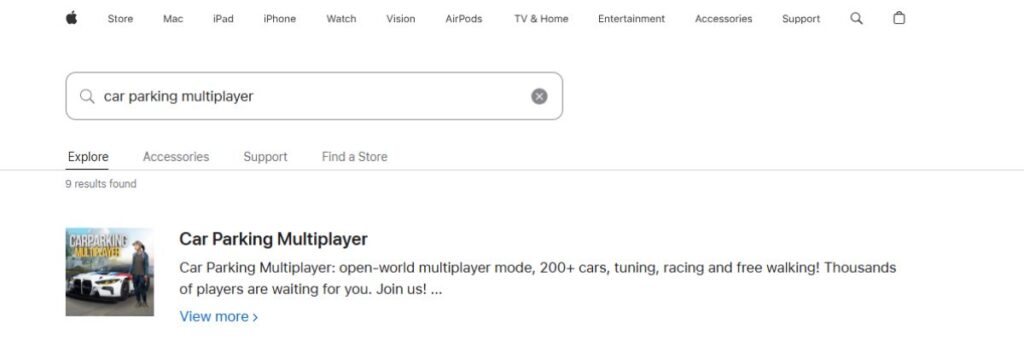
Follow these steps to make sure you grab the original version of iOS:
- Open the App Store on your iPhone or iPad.
- Tap the Search tab at the bottom.
- Type “Car Parking Multiplayer” in the search bar and hit Search.
- Look for the game with:
- A proper icon and screenshots showing real in-game cars, parking, and open-world scenes.
- A high number of downloads and ratings (fake clones usually look empty).
- Open the app page and double-check:
- The game name is correct.
- The screenshots match what you know from YouTube/gameplay clips.
How to Update Car Parking Multiplayer to the Latest iOS Version
Keeping the Car Parking Multiplayer iOS updated is important for:
- New cars, map tweaks, and events
- Bug fixes and performance improvements
- Compatibility with new iOS versions
You can update it in two easy ways:
Method 1: From the App Store Updates section
- Open the App Store.
- Tap your profile icon (top right).
- Scroll down to see Upcoming Updates / Available Updates.
- Look for Car Parking Multiplayer in the list.
- Tap Update next to it.
Method 2: From the game’s App Store page
- Open the App Store and search “Car Parking Multiplayer”.
- Tap the official game.
- If there’s a new version, the button will show Update instead of Open.
- Tap Update and wait for it to install.
Once updated, launch the game and you’ll be on the latest Car Parking Multiplayer iOS build, ready to join multiplayer rooms and test any new content.
Car Parking Multiplayer iOS MOD and IPA Important Safety Notes
Every CMP player eventually sees titles like “Car Parking Multiplayer iOS MOD”, “CPM IPA unlimited money”, or “iOS hack version” while searching. On iOS, this stuff is way more complicated and risky than on Android. Apple doesn’t support APK-style installs, and most “free money” or “all cars unlocked” promises come with a hidden cost: security risks, bans, or a broken device.
If you’re on iPhone or iPad, the safest way to enjoy this game long-term is still the official App Store version. Everything outside that sits in a grey area at best and straight-up dangerous at worst.
Why Android APK Files Do Not Work on iOS Devices
A lot of new players ask, “Can I install Car Parking Multiplayer MOD APK Version on my iPhone?” The short answer: no, you can’t.
- APK is Android-only:
APK is the file format used by Android. iOS uses IPA. They are built for totally different systems. - Different operating systems:
Android and iOS use different file structures, security systems, and app frameworks. An APK simply can’t run on iOS, just like you can’t install a Windows .exe on a PlayStation. - Any site saying “CPM APK for iOS” is fake:
If a website says “Car Parking Multiplayer iOS APK” or “install Android APK on iPhone”, it’s either:- Misleading clickbait
- A way to push malware, ads, or shady profiles onto your device
So if you’re on iOS, forget APKs completely. They’re not made for iPhone or iPad, and trying to force them usually leads you into scam territory.
Risks of Unofficial MOD, IPA, and Third-Party Downloads on iPhone
On iOS, the “modded” stuff usually comes in the form of unofficial IPA files, third-party app stores, or “inject this profile and get a hacked version” type sites. As a player, you need to know what you’re walking into:
- Security and privacy risks
- Unofficial IPAs can carry malicious code, trackers or background processes.
- Some sites ask you to install profiles or certificates that give them crazy levels of control over your device.
- Stability problems
- Modded IPAs often crash more, especially after a new iOS or game update.
- Online features can break, and you might lose progress if the mod stops working.
- Account and game risks
- If the game detects suspicious activity (unrealistic money values, hacked behavior), you risk getting restricted or banned from online features.
- You also lose the automatic update path, so you’re stuck waiting for whoever made the mod to update it.
- No real support
- If something goes wrong, Apple and the official devs won’t help with problems caused by unofficial installs.
- You’re on your own if your device breaks, your data is leaked, or your account gets hacked.
In short, as a gamer, mods look tempting, but on iPhone and iPad, the trade-off is usually not worth the risk.
Common Problems and Quick Fixes
Even on iPhone and iPad, Car Parking Multiplayer isn’t perfect. Installs get stuck, FPS tanks in busy rooms, and sometimes the game starts crashing right after an update. The good news: most of these issues are simple to fix if you know where to look in iOS settings.
Solutions for Game Not Installing or Stuck on iOS
If the game is stuck on “Waiting…” or won’t install at all, try this:
- 1. Check storage first
- Go to Settings → General → iPhone/iPad Storage.
- If you’re almost full, delete some unused apps, photos, or videos, then try again.
- 2. Pause and resume the download
- On the Home Screen, tap the app icon if it’s stuck.
- Pause it, wait a few seconds, then tap again to resume.
- 3. Switch your internet
- If you’re on mobile data, switch to Wi-Fi.
- If Wi-Fi is unstable, restart your router or try another network.
- 4. Restart the device
- A simple restart can clear minor App Store glitches.
- After reboot, open the App Store → Search → Car Parking Multiplayer and tap Get again.
If it still refuses to install after you’ve freed space and rebooted, try signing out and back into your Apple ID in App Store settings, then repeat the download.
How to Fix Lag, FPS Drops, and Performance Issues on iPhone or iPad
If the game feels like a slideshow in busy areas or big multiplayer rooms:
- 1. Lower graphics inside the game
- Drop graphics quality, shadows, and resolution settings.
- Turn off extra visual effects if possible.
- This alone can make a huge difference on older devices.
- 2. Close background apps
- Swipe up and clear heavy apps like browsers, social media, or other games.
- More free RAM = more stable FPS.
- 3. Cool the device down
- If your iPhone/iPad is hot, FPS will drop.
- Take off thick cases and give it a short break, or play in a cooler environment.
- 4. Reduce screen brightness
- High brightness + long sessions = more heat and throttling.
- Lowering brightness helps keep performance stable.
If you’re still lagging after all this, it’s usually a sign your device is too old or too full, so keep more storage free and avoid max graphics in busy online servers.
Fixing Multiplayer Connection, Room Join, and Server Issues
When you can’t join rooms or keep getting kicked back to the menu, it’s usually network-related:
- 1. Test your internet
- Run something else online (YouTube, another game) and see if it stutters.
- If everything is slow, restart your Wi-Fi router or switch to mobile data.
- 2. Use a more stable network
- Multiplayer needs a stable ping, not just high speed.
- If you’re on public Wi-Fi, expect random disconnects. Home Wi-Fi is safer.
- 3. Check if your game is updated
- Old versions sometimes struggle to join newer servers.
- Open the App Store, search Car Parking Multiplayer, and see if there’s an Update button.
- 4. Restart the game
- Fully close the Car Parking Multiplayer from the app switcher.
- Reopen it and try joining a different room or server.
If nothing helps, it might be a temporary server issue, so give it some time and try another region or room later.
What to Do If Car Parking Multiplayer Crashes After an Update
Sometimes the game runs fine… until a new update hits and suddenly it crashes every few minutes. When that happens:
- 1. Reboot your iPhone or iPad
- After a fresh update, a restart often stabilizes things.
- 2. Check for another quick patch
- Developers sometimes push a hotfix right after a bad update.
- Go to the App Store → Car Parking Multiplayer and see if a new update is available.
- 3. Free up extra storage
- Crashes can happen when the device is almost full and can’t handle new cache or save data.
- Clear some space and relaunch the game.
- 4. Lower in-game settings
- If the update added heavier graphics, your old settings might now be too high.
- Drop the graphics quality and test again.
If the game still keeps crashing even after all that, it’s probably a bug in that specific version, and all you can really do is wait for the devs to patch it while keeping your app fully updated. In the meantime, shorter sessions and lower settings can reduce the crash frequency.
Gameplay Tips for Car Parking Multiplayer on iPhone and iPad
If you want to actually play like a pro in CPM on iOS, you need the right mix of controls, camera angles, money grind routes, and smart mission habits. With a good setup, your iPhone or iPad turns into a legit driving sim where you park clean, earn steady cash, and flex in multiplayer without driving like a rookie.
Best Control Settings and Camera Angles for Parking
On iOS, good controls and camera angles are half the game. A few tweaks make parking way easier:
- Use tilt or buttons based on your style
- If you like precision, button steering + low sensitivity is safer.
- If you’re good with motion, tilt controls can feel more natural for smooth curves.
- Adjust steering sensitivity
- Too high = car snaps side to side.
- Too low = you miss tight turns.
- Start around the middle and tweak until slow turns feel smooth.
- Use the “behind the car” camera for general driving
- Good for awareness in traffic and free roam.
- You see other cars, sidewalks, and obstacles clearly.
- Switch to the interior or side camera for tight parking
- Interior view helps you line up like real life.
- Side cameras help with parallel parking and checking the distance to the curb.
Change angles mid-mission if needed. Pro players constantly switch camera views depending on the situation instead of sticking to just one.
Easy Ways to Earn Money Faster in CPM iOS
You don’t need “unlimited money mods” to progress. If you’re smart, you can build a solid garage just grinding legit:
- Clear parking missions first
- These are the most reliable ways to get steady cash when you’re starting.
- Less risk, no random players ruining your run.
- Avoid crashing during missions
- Every clean run saves you time and repair money.
- Drive slower and more accurately instead of rushing.
- Use one main car for grinding
- Upgrade one comfortable car instead of spreading money across many weak cars.
- A well-balanced car makes missions and free roam both easier.
- Join legit multiplayer rooms
- Some rooms are all about races, drags, or roleplay jobs.
- You can earn and practice at the same time while meeting other players.
- Play regularly instead of hunting hacks
- Daily sessions, even short ones, stack up money over time.
- You keep your account safe and don’t risk bans or weird crashes.
Tricks to Improve Parking Skills and Complete Missions Efficiently
If you want to stop smashing cones and walls, treat the game like a real parking coach:
- Slow is smooth, smooth is fast
- Don’t rush. Use light throttle, especially when reversing.
- The slower you go, the less you over-correct and the fewer resets you need.
- Line up early
- Before entering a spot, position the car straight and centered with enough space to turn.
- Fix your approach, not the last second.
- Use reference points
- Watch how far the car is from lines, obstacles, and other vehicles.
- Remember where your car should be when you start turning in.
- Practice parallel parking deliberately
- Parallel tasks teach you timing and angle control.
- Repeat them until you can park with minimal steering corrections.
- Retry failed missions immediately
- If you mess up, don’t rage quit. Restart and fix the mistake while it’s fresh in your mind.
Over time, your muscle memory on the iPhone/iPad screen becomes automatic, and you’ll park like someone who actually cares about their bumper.
How to Play Car Parking Multiplayer with Friends on iOS Multiplayer Rooms
Playing solo is fine, but CPM really shines when you’re driving with friends:
- Create or join a room together
- One player creates a multiplayer room and shares the room name or ID.
- Other friends search for that room and join in.
- Pick a meetup spot on the map
- Choose a parking lot, gas station or open area as the main hangout.
- Park up, compare builds, then decide whether you’re cruising, drifting or racing.
- Use chat or voice (if available) to coordinate
- Call out routes, races, drag lines or roleplay scenarios.
- Set simple rules so the room doesn’t turn into pure chaos.
- Do mini-games inside the map
- “No crash cruise,” drive around the city cleanly.
- “Parking challenge” see who can park fastest without hitting anything.
- “Photo shoot” line up cars for screenshots and clips.
When you use iOS multiplayer this way, the game turns from just a parking sim into a full car community on your phone or tablet.
Frequently Asked Questions
Is Car Parking Multiplayer Free to Play on iPhone and iPad?
Yes. The game is free to download and play on iOS, with optional in-app purchases for extra money, cars or boosts.
Can You Play Car Parking Multiplayer iOS Without an Internet Connection?
Partly. You can do single-player and some parking practice offline, but multiplayer rooms and updates need an internet connection.
Does Car Parking Multiplayer Support Cross-Play Between iOS and Android?
Yes. iOS and Android players can meet in the same online rooms as long as they’re on compatible versions of the game.
Is There a Legitimate Unlimited Money MOD for Car Parking Multiplayer iOS?
No. Any “unlimited money MOD/IPA” for iOS is unofficial and risky. The only safe, legitimate version is the official App Store game earn money by playing, not by hacks.
Pros and Cons
Pros:
- Smooth performance on most modern iPhones and iPads
- Easy, safe install and updates via App Store
- Full open world, missions, tuning, and multiplayer like Android
- Great touch response for precise steering and parking
Cons:
- Less freedom for MODs and hacks compared to Android
- Older or low-storage devices can lag or crash in busy rooms
- Progress can feel slow if you don’t grind regularly
Conclusion
Car Parking Multiplayer iOS turns your iPhone or iPad into a portable car playground, open world, tight parking missions, deep tuning and live multiplayer all in one place.
If you’re ready to practice real parking, build clean setups and hang out with other drivers online, the official App Store version is the safest and smartest way to play in 2025.
Install it, tweak your controls, start with a starter car, and slowly build the kind of garage you’d be proud to park in any server.